Webcam Games: How I Built a Dinosaur Running Game
I wanted to make a running game where pressing a key did not count as running. If the player stopped moving, the character had to stop too. If they found another burst of speed, the escape had to feel easier. And if they only waved their arms at the camera, the game should know the difference.
That idea became Dino Survival, a browser game where you run in place to escape a T-Rex. It sounds simple when I write it in one sentence. Building it meant solving a much harder question: how does a webcam turn a moving body into a controller that feels fair?
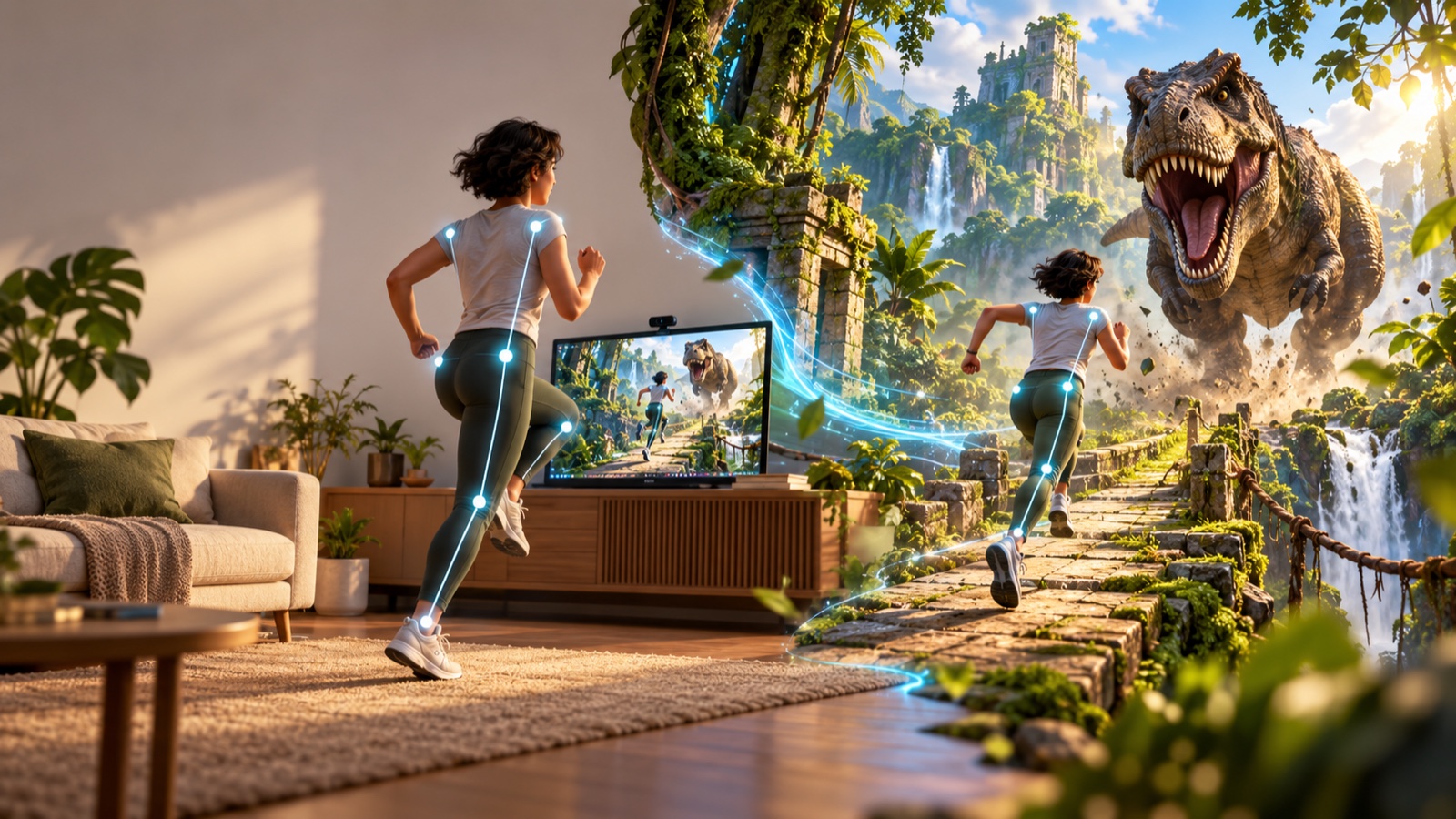
Why webcam games need a different kind of controller
Most endless runner games reduce movement to a button, a swipe or an automatic forward speed. That is useful because the input is exact. A button is either down or up.
A body is messier. People have different heights, room sizes, camera angles and running styles. Knees can disappear below the frame. Clothes can hide a joint. A low-light camera can make a landmark wobble even when the person is standing still.
So I could not map one pose directly to one speed. I needed a pipeline that could observe movement over time, reject noise and still respond quickly enough to feel connected:
- Ask the browser for camera access.
- Estimate body landmarks in each video frame.
- Measure alternating leg motion and whole-body movement.
- Convert recent steps per minute into a stable game pace.
- Use that pace to move the runner and change the gap to the dinosaur.
The browser handles camera permission through MediaDevices.getUserMedia(). Dino Survival requests video only and uses a front-facing camera when one is available. The live frames are then processed by the pose model in the browser.
Pose landmarks are not the same as running
Dino Survival uses MediaPipe Pose Landmarker in video mode. The model can return 33 body landmarks, but more data does not automatically give you a better game controller.
For cadence, I focus on a smaller group: shoulders, hips, knees and ankles. The shoulders and hips give me a rough torso axis. The knees and ankles tell me how the legs are moving relative to that axis.
That relative measurement matters. If I only measured how high a knee appeared on the screen, a tilted phone or an off-centre player could change the result. Projecting leg movement along the player’s own torso axis makes the detector less dependent on how the camera is mounted.
The game also checks that both hips and both knees are visible. If they are not, it asks the player to step back instead of quietly inventing a pace from incomplete data. In a motion control game, honest feedback is better than pretending the input is reliable.
Turning alternating legs into cadence
A run in place creates a repeating pattern. One knee rises, reaches a peak and falls. Then the other leg does the same. The detector watches knee and ankle motion and looks for those alternating peaks.
I use adaptive thresholds for each leg because one fixed number does not fit every body or camera. A taller player might create a much larger movement on screen than a shorter player standing farther away. The detector learns a useful local range, while a hard ceiling prevents that adaptation from becoming too permissive.
After a valid peak, the same leg has a short 130 millisecond refractory period. That stops landmark jitter around the top of a knee lift from becoming two or three imaginary steps. Valid steps enter a rolling three-second window, which is long enough to smooth the number but short enough to notice a real change in effort.
If there is no step for about 1.1 seconds, cadence snaps back to idle. I prefer that decisive reset to a long, slow decay. When the player stops, the game should stop.
How I stopped arm waving from becoming sprinting
Early motion systems often reward any activity in the frame. That creates an obvious shortcut: keep your feet still and move your hands. It also makes camera shake look like exercise.
Dino Survival adds a second gate based on the hips. It looks for genuine vertical body bounce over a short window. Cadence only counts when the alternating leg pattern and this larger movement signal agree.
This does not try to grade anyone’s running form. It simply asks for evidence that the lower body is doing the work. Arm motion alone does not open the gate, and tiny pose-estimation noise does not move the runner forward.
This was one of the biggest lessons for me while building webcam games: good input is not about detecting the most movement. It is about detecting the right movement and explaining clearly when the camera cannot see it.
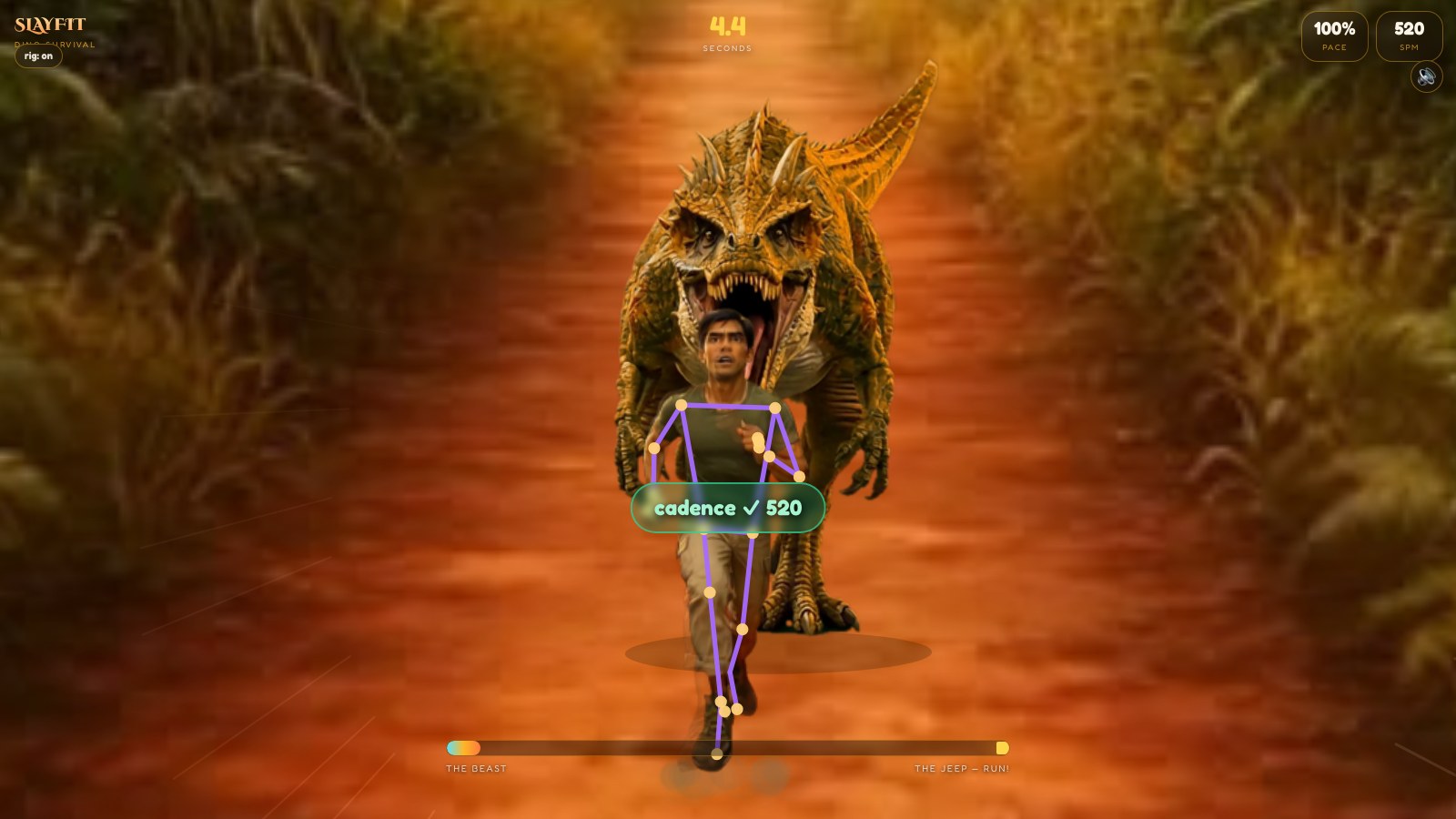
From steps per minute to a dinosaur chase
The cadence detector produces steps per minute, but the game does not need a laboratory measurement. It needs a clear, playable signal. I map the result into three understandable effort bands: jog at about 70 steps per minute, run at 120 and sprint at 160.
Those bands become a normalized pace. The survival engine uses that pace to advance the player toward a 50-unit escape goal. At the same time, the dinosaur has its own speed, which increases during the run.
The gap changes according to the difference between those two speeds. Run faster than the dinosaur and you create space. Ease off and it starts to gain. Reach the jeep and you escape. Let the gap fall to zero and the chase is over.
This is the part that makes the game feel different from a normal dinosaur running game. The dinosaur is not just a timer with teeth. It is a visual explanation of the player’s current effort.
The world only moves when the player moves
The trail is made from a sequence of jungle frames. I index those frames by accumulated distance rather than by clock time. If the player stops running, the environment freezes. Start again and the trail begins moving under the runner.
The dinosaur’s apparent size and position are tied to the gap. As it gets closer, it occupies more of the scene. Dust, speed lines and the pace display support the same message. Several small cues all answer one question: am I getting away?
The render loop uses requestAnimationFrame(), which asks the browser to run animation work before the next repaint. I use the callback timestamp to calculate elapsed time, so movement is based on time rather than assuming every device draws the same number of frames per second.
I also use a pre-rendered runner instead of segmenting the live person into the scene on every frame. That choice lowers the amount of visual processing on mobile devices and gives the game a consistent character. The webcam is the controller, not the final artwork.
Why calibration is part of the game design
Camera setup is not a technical screen I can hide from the player. It is the first level.
Dino Survival shows a framing guide and waits until the necessary landmarks are visible. It explains when to step back and gives the player a short countdown before the chase. That moment establishes the contract: keep the lower body visible, run in place and the game will follow.
There is also a keyboard demo mode. It lets someone explore the game without camera permission, test it on an unsupported setup or simply understand the rules first. The full experience is still the camera version, because the physical link between effort and escape is the point.
What I learned from building Dino Survival
The hardest part was not drawing a T-Rex. It was deciding what should count as a step.
A reliable body controller needs several modest checks working together. Landmarks establish where the body is. Alternating knee and ankle peaks suggest cadence. Hip movement confirms that the player is actually running. A rolling window smooths the result. A quick idle reset keeps stopping honest. The game engine then turns that signal into a gap the player can understand without reading an instruction manual.
That is the appeal of browser-based motion control for me. The technology disappears when the feedback is right. You do not think about landmarks, thresholds or frame timestamps. You see a dinosaur, hear it getting closer and run.
For the design and research angle, read why I think Dino Survival is the right kind of exercise game.
You can play Dino Survival free in your browser. There is no download. If you want to see how the same webcam pipeline handles upper-body movement, read how I built Monster Punch as an online boxing game. For more games that start instantly, see my guide to free no-download games.