Goalkeeper Games: How Keeper Simulates Real Reaction Pressure
I wanted to build a football game around the hardest part of a save: the short window between reading the shot and getting a body part into its path.
That ruled out buttons almost immediately. Clicking left or right could reproduce the result, but not the feeling of reacting. I wanted the player to watch the run-up, read the flight, reach, lean and commit. The webcam had to become the controller, and the person standing in front of it had to become the goalkeeper.
That became Keeper. It is one of those goalkeeper games that looks simple from the outside: stop four of six shots to clear a level. Underneath, each level changes the reaction problem. The shot gets faster, the ball bends more, the goal widens, the corners appear more often and the mapped keeper covers less space.
The aim is not to claim that a browser game recreates a professional match or replaces goalkeeper coaching. It does not. The aim is to borrow the important constraints of real shot-stopping and compress them into a safe, readable game you can play in front of a webcam.
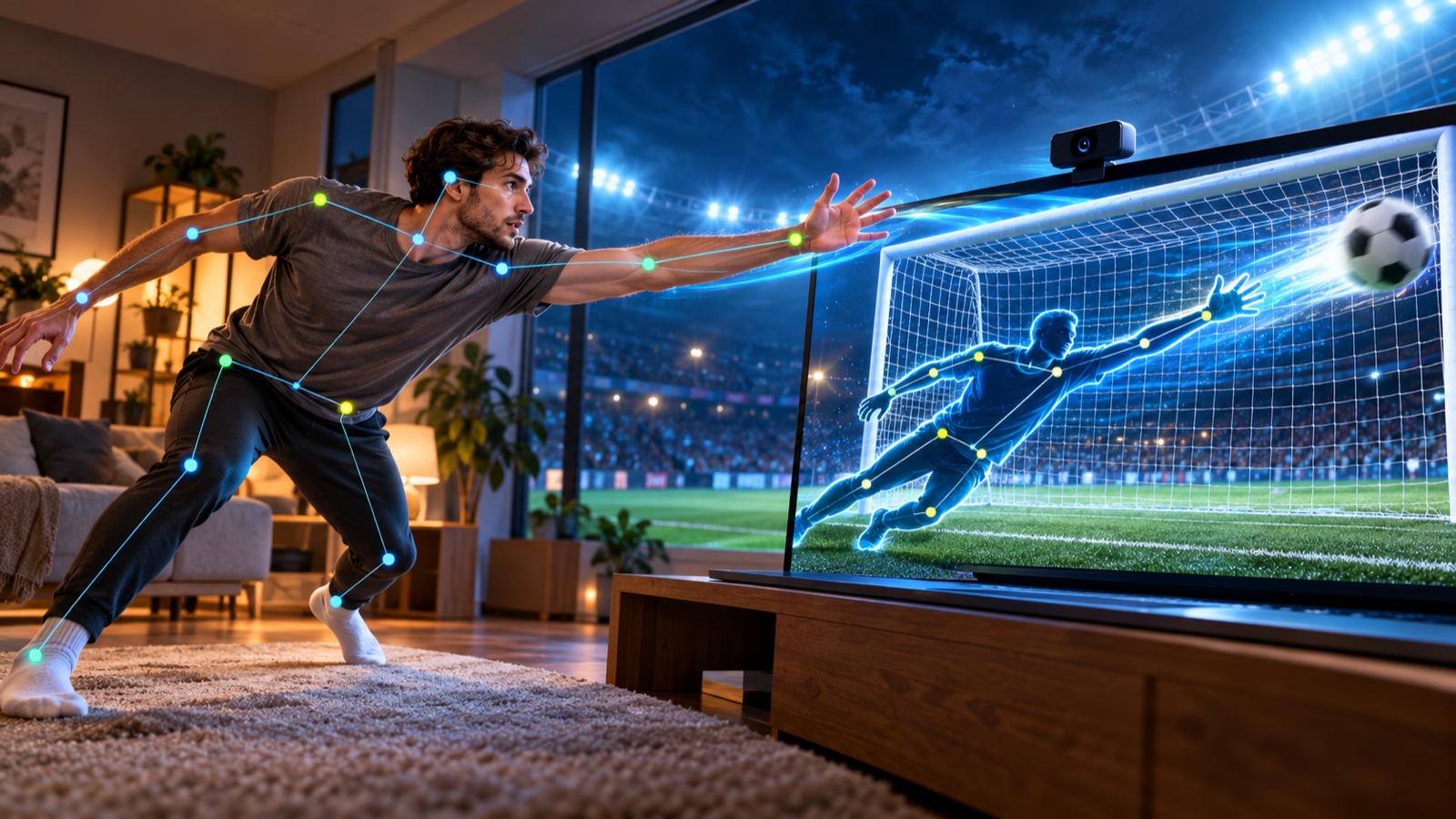
What real goalkeeper reaction pressure looks like
A penalty is not difficult because a goalkeeper has never seen a ball move before. It is difficult because the available information and the available movement time arrive almost together.
A peer-reviewed analysis of 88 penalty kicks found an average ball-flight time of 525 milliseconds. The researchers also found that goalkeepers’ hands began to separate for high and low shots about 245 milliseconds after ball contact, while left and right movement could begin from cues available before contact. Read the study of how goalkeepers detect penalty direction and height.
That distinction shaped Keeper. A real goalkeeper does not only react to the ball after it moves. They read the approach, body shape and strike, then update that decision from the early flight. So the game shows a footballer running up and winding the leg before contact. Once the ball launches, speed, curve and target placement decide how much correction time remains.
Keeper is not a validated reaction-time test. Camera latency, screen size, room size and the amplified movement model all separate it from a pitch. But the higher levels intentionally move toward a pro-inspired pressure window. Level 9 gives the player 520 milliseconds of ball flight, almost the same as the 525 millisecond average reported in that study. Level 10 and above reach the game’s 500 millisecond floor.
The first problem was making the camera feel like a mirror
Keeper starts by asking the browser for a front-facing video stream. The browser controls the permission prompt through MediaDevices.getUserMedia(). This API requires a secure context and explicit user permission, so the camera cannot simply open in the background.
I request video at an ideal 1280 by 720 resolution, turn audio off and prefer the user-facing camera. The pose model then processes the video frames in the browser. Keeper uses MediaPipe Pose Landmarker in video mode with one pose and the lightweight model running through the GPU delegate when available. Google’s Pose Landmarker guide for the web explains the same video-frame workflow.
The landmarks arrive in camera coordinates. I mirror every x coordinate before using it. If the player moves to their right, the goalkeeper should move to the right side of the screen from their point of view. Without that mirror, a webcam game feels wrong before the first shot is even taken.
A pose is not yet a goalkeeper
A pose model tells me where the player’s head, shoulders, elbows, wrists, hips, knees and ankles appear in the camera frame. It does not tell me where those points belong inside the goal.
I solve that by treating the goal as its own coordinate system. The centre of the player’s hips becomes the moving centre of the keeper. Every other landmark is measured relative to those hips, scaled by the goal width and height, then placed into the goal mouth.
This gives different bodies a common playing space. A wrist can reach toward the top corner whether the player is tall, short, close to the camera or standing farther back. The game does not copy raw camera pixels onto the screen. It maps the shape of the pose into the shape of the goal.
Why leaning has to move more than it does on camera
A living room is not a football pitch. Most players cannot safely launch into a full dive, and I did not want the game to encourage that.
Instead, Keeper measures horizontal hip movement from the calibrated standing position and amplifies it across the goal. A deliberate lean becomes a dive. Arm and leg positions still matter, but the amplified hip shift lets the whole keeper travel toward a corner without requiring the player to hit the floor.
The standing baseline slowly recentres between shots. That matters because people naturally drift after several saves. A fixed calibration point would eventually make neutral standing look like a permanent lean.
Before the first countdown, the game checks that the head, shoulders and both arms are visible and reasonably steady. It holds that ready state for a short moment instead of accepting one lucky frame. The calibration screen is not separate from the game design. It establishes what the camera needs to see and gives the player room to move.
How the whole body becomes a save area
The most important technical decision was that a save should not depend on the wrist alone. Real goalkeepers stop shots with hands, arms, legs, torso and sometimes their head. The collision system needed to recognise the whole silhouette.
I build the keeper from several simple shapes:
- The torso is a filled polygon made from both shoulders and both hips.
- Arms and legs are thick line segments, treated as capsules rather than one-pixel bones.
- Wrists get slightly larger circular glove zones.
- The head gets its own circular save zone.
When the ball reaches the goal line, the engine asks one question: does the ball overlap any of those shapes? For a limb, I find the nearest point on the segment and compare that distance with the limb thickness plus the ball radius. For the torso, I test whether the ball centre falls inside the polygon.
Landmarks below a visibility threshold do not count toward the save. That prevents a guessed wrist or hidden ankle from creating an invisible block. The result is forgiving enough to feel physical, but precise enough that the player still has to move toward the shot.
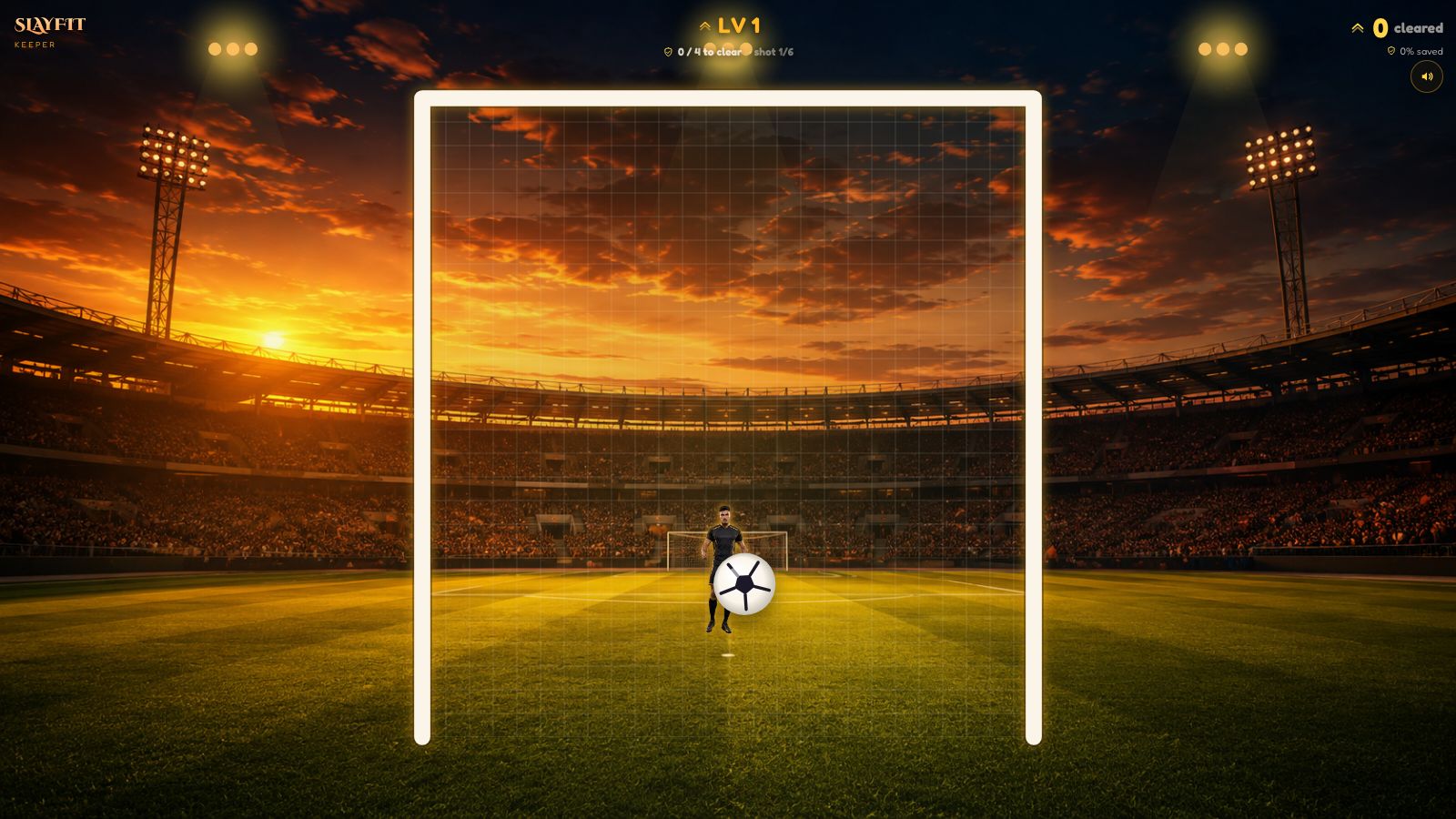
Simulating the cues before the reaction
A fair football goalkeeper game needs a readable shot. If the ball appears at full speed without a clue, the player is guessing rather than reacting.
Each shot begins with a short wind-up. The footballer approaches the ball, the kicking leg loads and a tightening ring makes the strike moment readable. Once the ball leaves the boot, its forward progress accelerates toward the goal. The ball also grows from its distant size to its near size, which provides another depth cue.
Swerve uses a sinusoidal bow. The curve is zero when the ball leaves the foot, grows through the middle of the flight and returns to zero at the chosen target. That lets the ball bend without missing the destination selected by the shooter.
When a save happens, the ball does not disappear. It ricochets away from the contact point for a brief beat, and the body part that made the save flashes. That tiny pause made the collision much easier to understand. Players can see why the shot was stopped.
Higher levels simulate a more professional reaction problem
The obvious way to make a soccer goalkeeper game harder is to increase ball speed. I tried to avoid relying on that alone because speed has a ceiling. Past a certain point, it only removes the chance to react.
Keeper changes five connected variables as the levels rise:
- Flight time falls, so the player has less time to commit.
- Lateral curve increases, so the early path is less direct.
- The goal grows wider, creating more space to defend.
- The mapped keeper coverage shrinks slightly, so standing still protects less of the goal.
- The shooter aims for corners more often.
The first level gives the ball about one second of flight. That reduces by 0.06 seconds per level until it reaches a half-second floor. At the same time, curve and corner probability climb toward fixed caps. The goal widens gradually instead of jumping between arbitrary difficulty modes.
The important part is not any one number. It is how the variables work together. Early levels teach the mapping. Later levels ask the player to extract information from the wind-up, follow the curve, commit earlier and still use the full reach of the pose. That combination is closer to the decision pressure faced by an experienced keeper than simply making the same central shot move faster.
The level statistics show the full progression
I checked the current production tuning directly from the game configuration. These are the numbers Keeper actually uses:
- Level 1: 1.00 second flight, 5 percent curve factor, 42 percent goal width, 25 percent corner probability and 102 percent base reach.
- Level 4: 0.82 second flight, 20 percent curve factor, 54 percent goal width, 43 percent corner probability and 96 percent base reach.
- Level 7: 0.64 second flight, 35 percent curve factor, 66 percent goal width, 61 percent corner probability and 90 percent base reach.
- Level 9: 0.52 second flight, the maximum 45 percent curve factor, 74 percent goal width, 73 percent corner probability and the minimum 88 percent base reach.
- Level 12: 0.50 second flight, 45 percent curve factor, 86 percent goal width, 90 percent corner probability and 88 percent base reach.
The curve factor is a game-space value, not a claim about metres of real ball movement. Goal width and reach are also proportions of the screen-space goal. The useful comparison is the progression: between level 1 and level 12, flight time halves, the goal becomes more than twice as wide, corner probability rises from one shot in four to nine in ten, and standing coverage shrinks.
This is why the later rounds feel like a different standard rather than a recoloured first level. By level 9, the reaction window has entered the same half-second range measured in professional penalty footage, while the shot is also more likely to bend and finish near a corner.
The save target is a game rule, not a professional benchmark
Each level contains six shots. Save at least 60 percent, which means four of the six, and the next level begins. The score is the number of complete levels cleared.
I chose a fixed block because it gives every level a small story. The player always knows the target, the current shot and how much room remains for a mistake. If the required four saves become mathematically impossible, the run ends immediately instead of playing out meaningless shots.
Saving four of six means a 66.7 percent level-clear rate. That should not be compared with real penalty-save percentages. Keeper’s shots, body scaling and target distribution are designed for a replayable browser game, not for statistical equivalence with professional competition. The real-world reference belongs in the reaction window and visual decision pressure, not in the scoreline.
This structure also separates consistency from one lucky block. A single spectacular save feels good, but clearing levels requires repeated decisions and movement. That is a better fit for a short goalkeeper game online than an endless stream with no visible checkpoint.
Keeping the engine separate from the camera
The core game engine does not know about React, the webcam or pose landmarks. It owns the shooter, wind-up, ball flight, curve, shot results, level rules and score. The page gives it the stage size and a save-test function.
That boundary made the important rules testable without starting a camera. I can give the engine a deterministic random source, advance time, inspect the ball path and verify when a level should clear or end. The pose geometry stays in a separate module, where it can be tested as geometry.
The browser loop uses requestAnimationFrame(). I calculate elapsed time between frames and feed that into the engine, so the ball does not move faster just because one screen has a higher refresh rate.
What building Keeper taught me
The difficult part was not recognising a person. It was deciding how that person should occupy a digital goal while the shot begins to resemble real reaction pressure.
The game began to work when I stopped treating pose landmarks as a finished controller. They are raw material. The controller comes from calibration, mirroring, relative coordinates, amplified lean, visibility checks and collision shapes. The feeling comes from readable wind-up, visible contact and a difficulty curve that changes the problem without changing the rules.
That is what I like about webcam games. The technical system is complicated, but the player’s instruction can stay simple: read the approach, watch the shot, reach for the ball and make the save. The first levels give you time to learn that sequence. The higher levels ask you to do it inside half a second.
You can play Keeper free in your browser. For a quick overview of the experience, read my companion guide to the AR football game. If you want to see how I used the same pose pipeline for running rather than goalkeeping, read how I built Dino Survival.