Isometric Exercise Examples: A Practical Guide to Six Webcam Holds
I wanted every hold challenge to begin with the same simple promise: take the position, let the camera see it and keep the timer moving.
The difficult part is that six static poses do not look static to a webcam. Knees drift. Arms drop. A foot disappears behind the standing leg. A good plank becomes unreadable when the camera sits too high.
This is the practical guide I wish I had before testing the first version. These six isometric exercise examples use different camera angles and visible checks, but the same rule applies to all of them. Good framing comes before a good score.
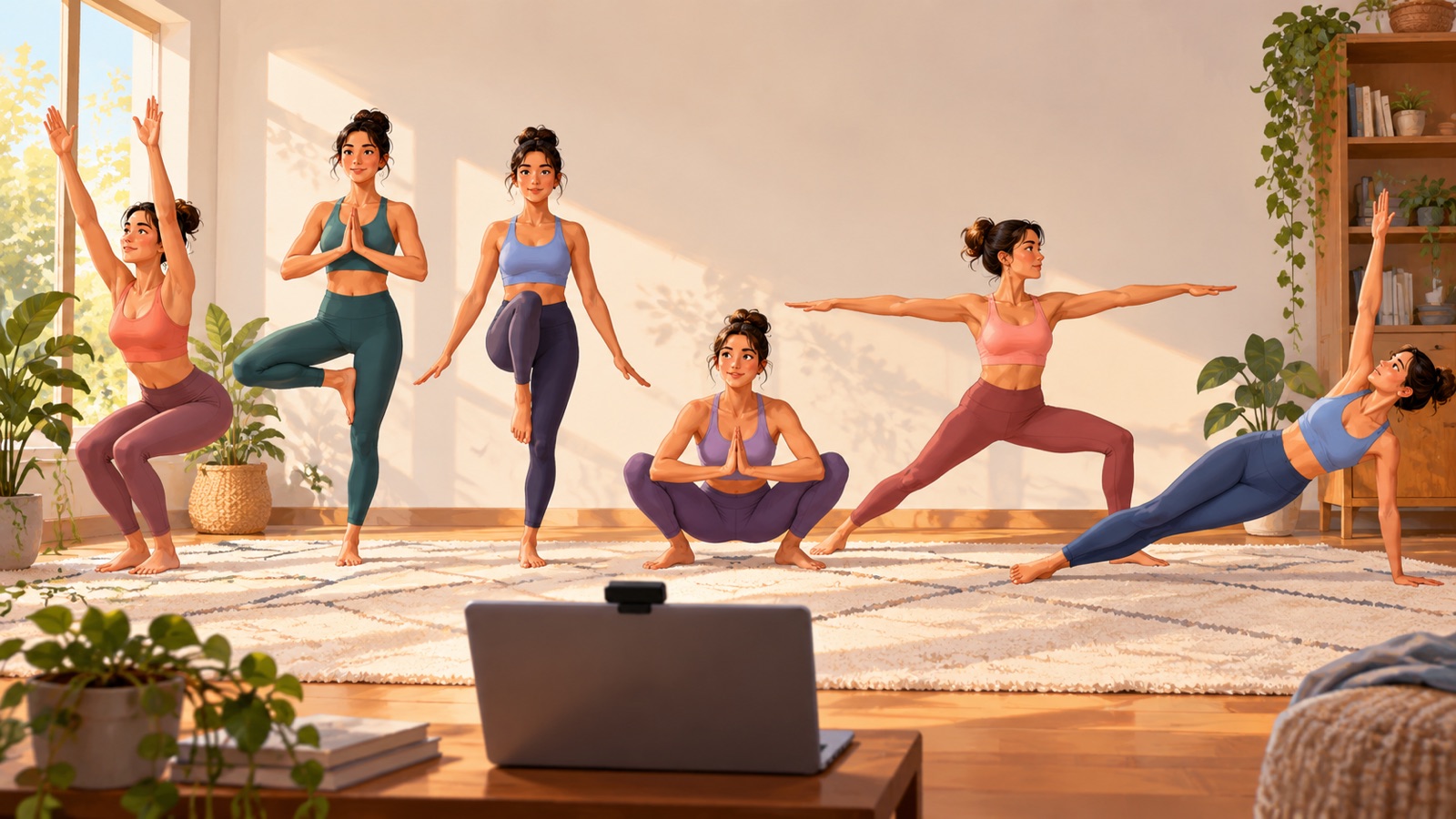
Set up the camera before you chase time
Five challenges use a front view. Put the laptop or phone on a stable surface and remove strong backlight. Stand far enough away that the joints used by the pose stay inside the frame.
Chair pose, the deep squat and Warrior II work from about 1.5 metres away. Your feet can sit near the edge because the browser mostly needs the head, shoulders, hips and knees. Tree pose and the one-leg stand need the full legs, so step back to roughly 2 metres.
Plank is the exception. Place the camera low and turn side-on. The tracker needs a useful view of the shoulder, hip and ankle line. Front-on footage cannot describe the same shape reliably.
1. Chair pose: make the seated shape obvious
Face the camera and bend your knees as if sitting on a chair that is not there. Keep the upper body upright enough for the shoulder and hip line to remain clear.
The game looks for a deliberate knee bend, not a brief dip while you are getting ready. Enter the pose, settle and wait for the lock. If the timer does not start, check that both knees remain visible.
A wall can turn this into the familiar wall sit, but SlayFit is measuring the visible pose rather than certifying an official attempt. The score is a game result.
2. Tree pose: separate the raised foot from the knee
Lift one foot and rest it against the inner calf or thigh of the standing leg, not on the knee joint itself. The camera needs enough contrast to distinguish both legs.
Dark trousers against a dark wall can make the raised foot disappear. A plain, brighter background often fixes the problem faster than changing the pose. Choose a fixed point ahead and keep looking at it while the timer checks whether the visible relationship stays stable.
3. One-leg stand: keep the free foot truly free
The one-leg stand looks close to tree pose, but the rule is different. The raised foot must not rest against the standing leg. Lift it clear and keep a small visible gap.
This is why the two challenges need separate detectors. A valid tree would fail the one-leg rule, and a valid one-leg stand does not need the high foot placement used by tree pose.
If the timer pauses, check whether the feet overlap from the camera's point of view. Turning the raised knee slightly outward can make the gap easier to read.
4. Deep squat hold: show the hips below the knees
Face the camera, take a comfortable stance and lower until the hips sit below the knees. Keep the chest visible rather than folding so far forward that the shoulders cover the hips.
The browser needs to see the vertical relationship between hips and knees, so clothing contrast and a clear camera angle matter. SlayFit does not prescribe how long an isometric hold should last. The timer reports how long this attempt remained inside the game's visible rules. Stop whenever the position does not feel right for you.
5. Warrior II: the arms usually fail first
Take a wide stance, bend one knee and extend both arms at shoulder height. Face the camera so the full arm span and the difference between the bent and straight leg remain visible.
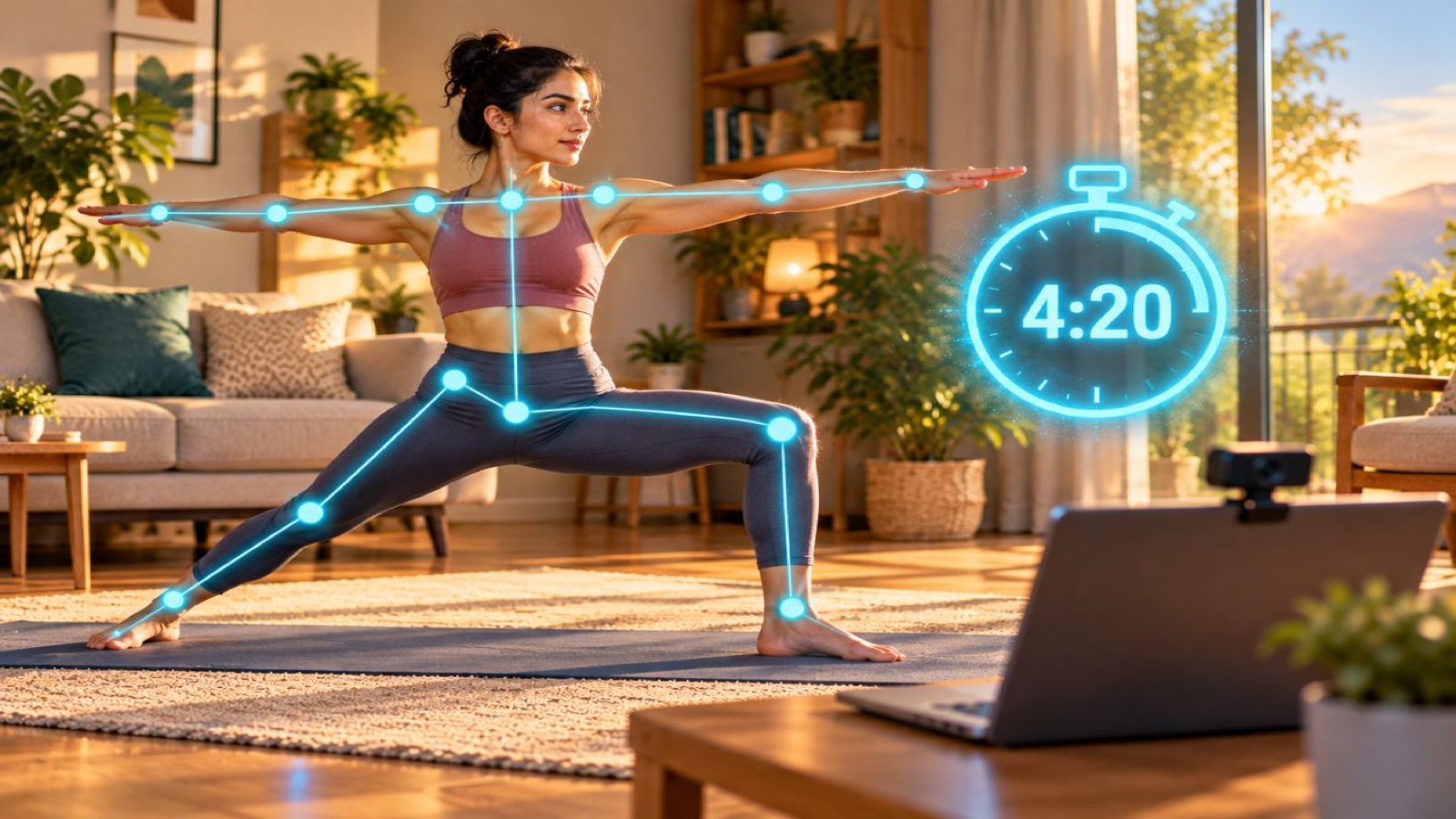
In my testing, the arms were the easiest part to forget. The legs might stay convincing while one hand gradually sinks. The feedback prioritises a useful correction, so lift the dropped arm before changing everything else.
6. Plank hold: change the camera, not the rule
Put the camera on the floor or a low table and position yourself side-on. A forearm or straight-arm plank can work when the head, hips and heels form one readable line.
Good light matters more here because the body is close to the floor and joints can overlap. Leave space around your full length. If the hips sag or rise, the timer pauses instead of quietly adding seconds.
The side view takes longer to set up, but it gives the browser the evidence it needs. Moving the camera is better than asking a front view to guess.
Why the timer waits
A single matching frame is not enough to begin an isometric workout challenge. You can pass through the right geometry while lowering into position, and landmark estimates can jump for one frame.
SlayFit waits for a stable match before starting. During the attempt, it keeps checking the important relationships and pauses when the pose leaves the accepted range. This makes the score stricter, but also easier to understand.
Do not fight a paused clock. Read the correction, fix one thing and let the stable pose restart it. The useful skill is noticing the drift and returning to a clear position.
What every attempt taught me
- Frame the joints used by the challenge before entering the pose.
- Use a plain background and enough light to separate your limbs.
- Wait for the stable lock instead of bouncing in and out of position.
- Follow one feedback message at a time.
- Treat the score as a browser-game result, not a medical assessment or official record.
- Stop the attempt when you need to. A longer timer is never worth forcing discomfort.
Try the six holds
These are deliberately simple bodyweight isometric exercises. The game adds framing, visible rules and a timer, but it does not add equipment or a complicated routine.
Open SlayFit Exercise Holds, choose one pose and use its stand-here guide before you begin. Start with the hold that is easiest to frame in your room.
Free to play · No download · Webcam processed in your browser · Six separate challenges · Personal and shared leaderboards.
For the technical story, read how I turned six holds into browser challenges. For another body-controlled game, see how Keeper maps pose landmarks into a goalkeeper.